650 Page Health Wellness CanvaBundle
Taking control of your health is never a single action. It is a continuous process of planning, tracking, adjusting, and reflecting. The 650 Page Health Wellness CanvaBundle gives you a complete set of structured tools to guide that process without forcing you to start from scratch. Instead of hunting for separate fitness logs, meal planners, or medical trackers, this single bundle places over 650 templates at your fingertips. Whether you are a busy professional, a freelancer building a wellness brand, or an entrepreneur managing your own energy, these editable planners help you build a repeatable system for health management.
This article breaks down what the bundle actually contains, how it fits into a real-world health workflow, and practical ways to implement it before, during, and after your goals shift. You will also learn how to pair it with other tools you already use, keep it organised over months, and avoid common pitfalls that derail progress.
What the 650 Page Health Wellness CanvaBundle Actually Includes
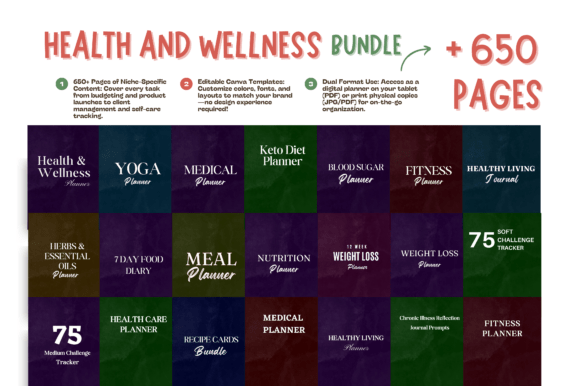
The bundle is not a single planner. It is a library of printable and digital templates that cover five core areas of health and wellness. Each section is designed to be edited in Canva, or used directly as a PDF. Here is a breakdown of the main categories:
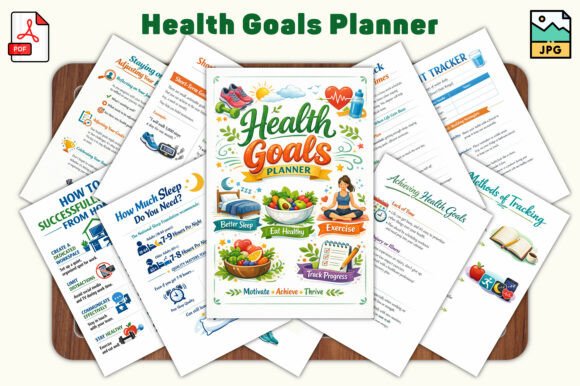
- Fitness Movement – Fitness Planner, Fitness Planner Bundle, Yoga Journal, 75 Medium Challenge and 75 Soft Challenge Trackers. These pages help you log workouts, track flexibility over time, and maintain motivation during structured challenges.
- Nutrition & Meal Planning – Meal Planner, 7 Day Food Diary, Recipe Cards Bundle, Keto Diet Planner, and Nutrition Planner. These templates support daily accountability, recipe organisation, and specialised dietary tracking.
- Weight Management – Weight Loss Planner, 12 Week Weight Loss Planner, and a dedicated intensive tracking version. These are built for structured weight loss or body composition changes over multiple weeks.
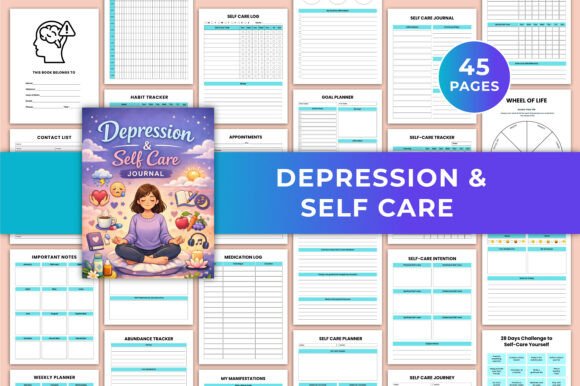
- Medical Health Monitoring – Medical Planner, Medical Planner V2, Blood Sugar Planner, Health Care Planner (appointments, insurance tracking), and a Chronic Illness Reflection Journal with prompts for emotional wellness.
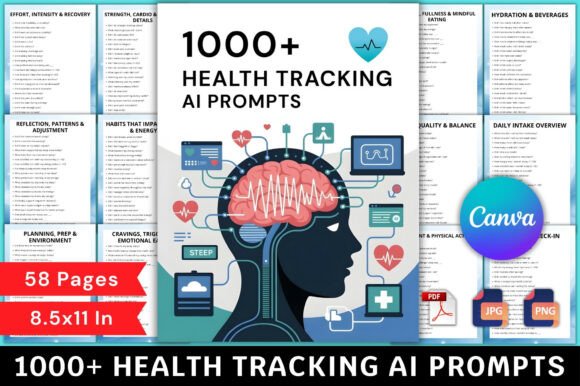
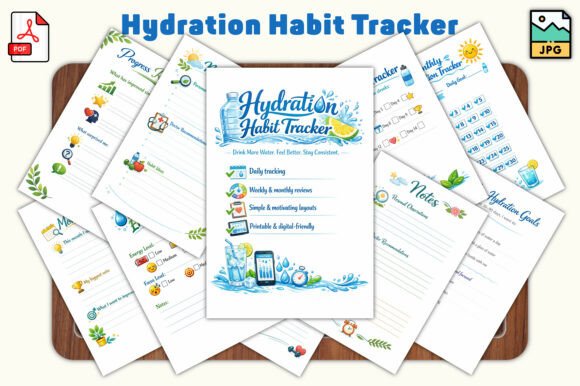
- General Wellness & Lifestyle – Additional undated journals, habit trackers, and reflection pages that tie everything together.
Because all templates are editable in Canva, you can adjust fonts, colours, layout, and even add or remove sections before printing or using them digitally. This flexibility matters when you want to align the planner with your existing system—whether that is a bullet journal, a digital filing system in Notion, or a simple binder.
How the Bundle Fits Into a Health Planning Workflow
Health management is a cyclical process: assess → plan → execute → review → adjust. The 650 Page Health Wellness CanvaBundle supports every stage of that cycle, but you need to decide how to use it before you dive into printing hundreds of pages.
Before You Start: Preparation and Setup
Before you print a single page, take 15 minutes to review the full bundle. Identify which sections are most relevant to your current goal. For example, if you are preparing for a 12-week fitness challenge, you will likely need the Fitness Planner, the Challenge Trackers, and the 12 Week Weight Loss Planner. If you are managing a chronic condition, prioritise the Medical Planner and Blood Sugar Planner, plus the Reflection Journal for mental health.
This preparation phase is also the time to decide your format. Will you keep a physical binder, use a tablet with a note-taking app, or edit the Canva templates each week and export to PDF? Each choice affects how you interact with the pages. For professionals who move between home and office, a printed binder works well. For creators and freelancers who work digitally, editing in Canva and saving to a cloud folder keeps everything synced.
During Execution: Daily and Weekly Use
Once you start using the planners, consistency matters more than perfection. The bundle is designed to reduce friction: you do not need to design a layout each week. Simply open the template, fill in your meals, workouts, or medical readings, and move on. For example, the 7 Day Food Diary and Meal Planner work well together. Spend 20 minutes on a Sunday evening planning meals for the week, then use the Food Diary each day to log what you actually ate. Over time, this creates a feedback loop that shows you where your nutrition deviates from your plan.
For fitness tracking, the Yoga Journal and 75 Soft Challenge Trackers are particularly useful for people who want variety in their movement. Instead of logging only gym workouts, these templates encourage you to record flexibility, mobility sessions, and low‑intensity activities. This is valuable for entrepreneurs and marketers who sit for long hours and need to balance intense workouts with recovery.
After a Cycle: Review and Adjust
Every 4 weeks, set aside 30 minutes to look back at your completed logs. The Chronic Illness Reflection Journal prompts can help you explore emotional patterns, but the same reflective practice applies to physical tracking. Ask yourself: Did my meal plan stay realistic? Did my workout volume increase or plateau? Were my blood sugar readings stable?
Use these insights to modify your templates for the next cycle. Because the bundle is editable, you can add extra columns to the Nutrition Planner, create a new tracker for stress levels, or combine pages from the Health Care Planner with your weight loss logs. The goal is to evolve the system as your needs change, not to cling to a static set of forms.
Practical Implementation Tips for Professionals and Creators
Professionals, entrepreneurs, and freelancers face unique time constraints when it comes to health tracking. Here are specific ways to integrate the bundle into a busy routine:
- Use a weekly template set – Instead of printing the entire bundle, select 5–7 pages that cover nutrition, exercise, and one health metric (e.g., sleep or blood sugar). Edit them in Canva on Sunday night, print or export, and store them in a single folder. This keeps your weekly stack manageable.
- Combine with your existing digital tools – The bundle works well alongside apps like Apple Health, MyFitnessPal, or Google Calendar. For example, you can use the Meal Planner to design your week, then copy the meals into a grocery list app. The physical or PDF planner acts as the central record; the digital tools handle notifications and instant entries.
- Batch edit templates in Canva – If you are a creator or small business owner, you might want to customise the bundle for client use or for your own brand. Canva’s bulk editing features let you change colours and fonts across multiple pages. This saves hours if you plan to reuse the same layouts month after month.
- Create a binder with divider tabs – Print the pages you use most often, hole‑punch them, and organise by category: Fitness, Nutrition, Medical, Weight. Use the divider pages included in the bundle (or make your own) so you can flip to the right section during a busy morning.
Interacting with Other Tools, Methods, and People
The 650 Page Health Wellness CanvaBundle is not meant to replace every health app or method you already use. It is a flexible piece that fits into a larger system. Here is how you can connect it with common resources:
- With accountability partners – If you are working with a coach, trainer, or dietitian, you can share exported PDFs of your completed logs. The clear structure of the Medical Planner and Blood Sugar Planner makes it easy for a professional to review your data quickly.
- With habit‑building methods – The 75 Medium and 75 Soft Challenge Trackers are designed to integrate with popular challenge frameworks. You can use them alongside the original challenge rules, or modify the templates to fit your own milestone system. The key is to treat the tracker as a visual reminder, not just a checkbox.
- With recipe and grocery planning – The Recipe Cards Bundle lets you store your go‑to healthy meals. Link each recipe to your Meal Planner by assigning a recipe number. Over time, you will build a personal database of meals that fit your macros and preferences. This speeds up planning because you are not reinventing the menu each week.
- With medical appointments – The Health Care Planner includes sections for appointment dates, insurance claims, and medication logs. Use it alongside your calendar app to centralise all health‑administration tasks in one binder. This is especially helpful for freelancers who manage their own insurance and need to track deductibles.
Ensuring Long‑Term Usability and Organisation
A bundle of 650 pages can quickly become overwhelming if you do not manage it over time. To make this system last for months or years, follow a few organisation rules:
- Cycle out old pages regularly – After each 4‑week or 12‑week block, remove completed pages from the binder and store them in a file box. This keeps your current binder lean and prevents decision fatigue when you open it each morning.
- Keep a master index – Print one page that lists which templates you use and where they are located (binder section or digital folder). When you need a specific log, the index saves you from flipping through hundreds of pages.
- Reuse undated templates – Many pages in the bundle are undated, such as the Yoga Journal and Recipe Cards. You can reuse these indefinitely. Print them once on thicker paper, write in pencil, or scan them after use so you can reprint clean copies without re‑editing the Canva file.
- Adjust for changing seasons – Your health priorities will shift. In winter, you might focus more on medical logs and nutrition; in summer, fitness and weight management may take priority. The bundle’s range lets you swap sections without buying a new product. Just archive the winter pages and move the summer‑focused templates to the front of the binder.
Common Use Cases and Workflow Examples
To help you picture the bundle in action, here are three real‑world workflows:
Workflow 1: Busy Professional with Type 2 Diabetes
A marketing manager uses the Blood Sugar Planner daily, the Medical Planner for quarterly appointments with an endocrinologist, and the Meal Planner to plan low‑carb lunches. Every Sunday evening, she opens Canva, duplicates the Meal Planner and Blood Sugar Log templates for the new week, edits the date, and exports to PDF. She saves the PDF on her phone and prints one copy for her desk. After each month, she moves the logs into a medical folder for her annual review.
Workflow 2: Freelance Fitness Coach
A coach uses the Fitness Planner Bundle and 12 Week Weight Loss Planner to track his own training before creating programs for clients. He also uses the Recipe Cards Bundle to organise healthy meal ideas that he shares with his audience. By editing the templates in Canva with his brand colours, he builds a cohesive look for his client handouts. The Chronic Illness Journal prompts help him reflect on his own energy levels during periods of high client load.
Workflow 3: Entrepreneur Building a Wellness Product
A startup founder uses the bundle to test her own morning routine before launching a habit‑tracking app. She prints the 75 Soft Challenge Tracker and the Yoga Journal to validate which metrics matter most. She then uses the layout ideas from the Canva templates to design the interface of her own product. The bundle acts as both a personal tool and a prototyping resource.
Quality Control and Consistency Over Time
Consistency is the biggest factor in health progress. The bundle helps you maintain it by reducing the effort needed to start each new day or week. When the same template appears every Monday, you spend zero mental energy deciding how to log your breakfast. That routine reinforces the habit. However, you must also guard against monotony. If you find yourself ignoring the planner after a few weeks, switch to a different template from the bundle. For example, swap the standard Weight Loss Planner for the more intensive version, or add the Chronic Illness Reflection Journal prompts for a week. The variety keeps the system fresh without breaking your streak.
Finally, remember that editing in Canva means you can fix errors or change formats as you learn what works. If the 7 Day Food Diary feels too cramped, you can stretch it across two pages. If the Yoga Journal lacks a column for heart rate, add one. The bundle is a starter kit, not a rigid rulebook. Treat it as a foundation that you customise to fit your exact workflow.
With over 650 pages of planners, journals, and logs, the 650 Page Health Wellness CanvaBundle gives you the raw materials to build a health tracking system that adapts to your life. Take the time to set it up correctly, use it consistently during your daily routines, and review your logs regularly. Over weeks and months, that structured process will turn scattered notes into meaningful progress.